Apps Access
Apps Access is your reseller-level catalog switch. It controls which apps from the 8x8 App Store are visible and available across all of your customer accounts.
Important: An app must be enabled here before it can be assigned to any individual account. If an app is not added to your Apps Access catalog, you will not be able to permission it to your customers — even if the app is available in the wider App Store.
Navigating to Apps Access
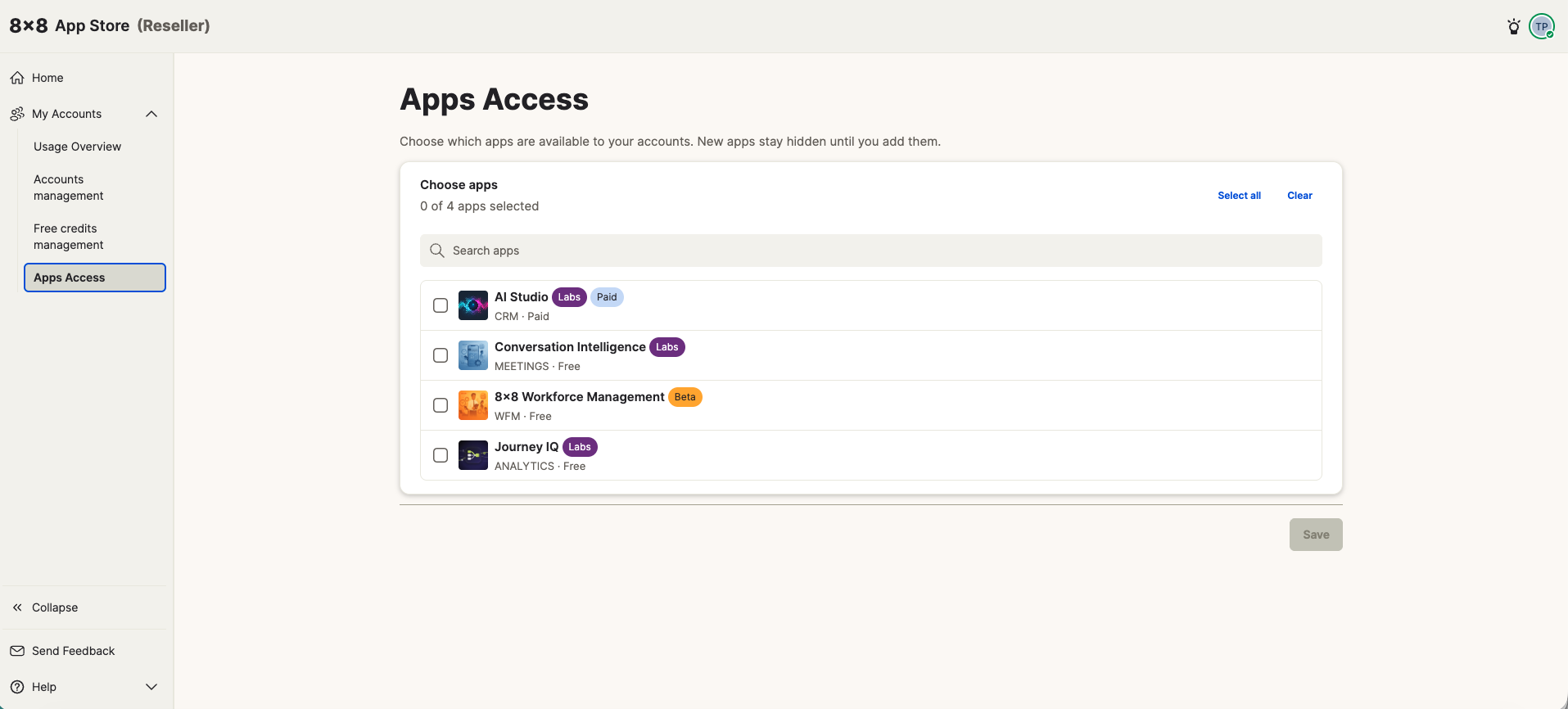
From the left navigation, select My Accounts → Apps Access.
By default, no apps are selected. The Save button is inactive until you make a selection.
Selecting apps
The app list shows all available apps with their category, pricing type (Free or Paid), and status label (Labs, Beta, etc.).
You can:
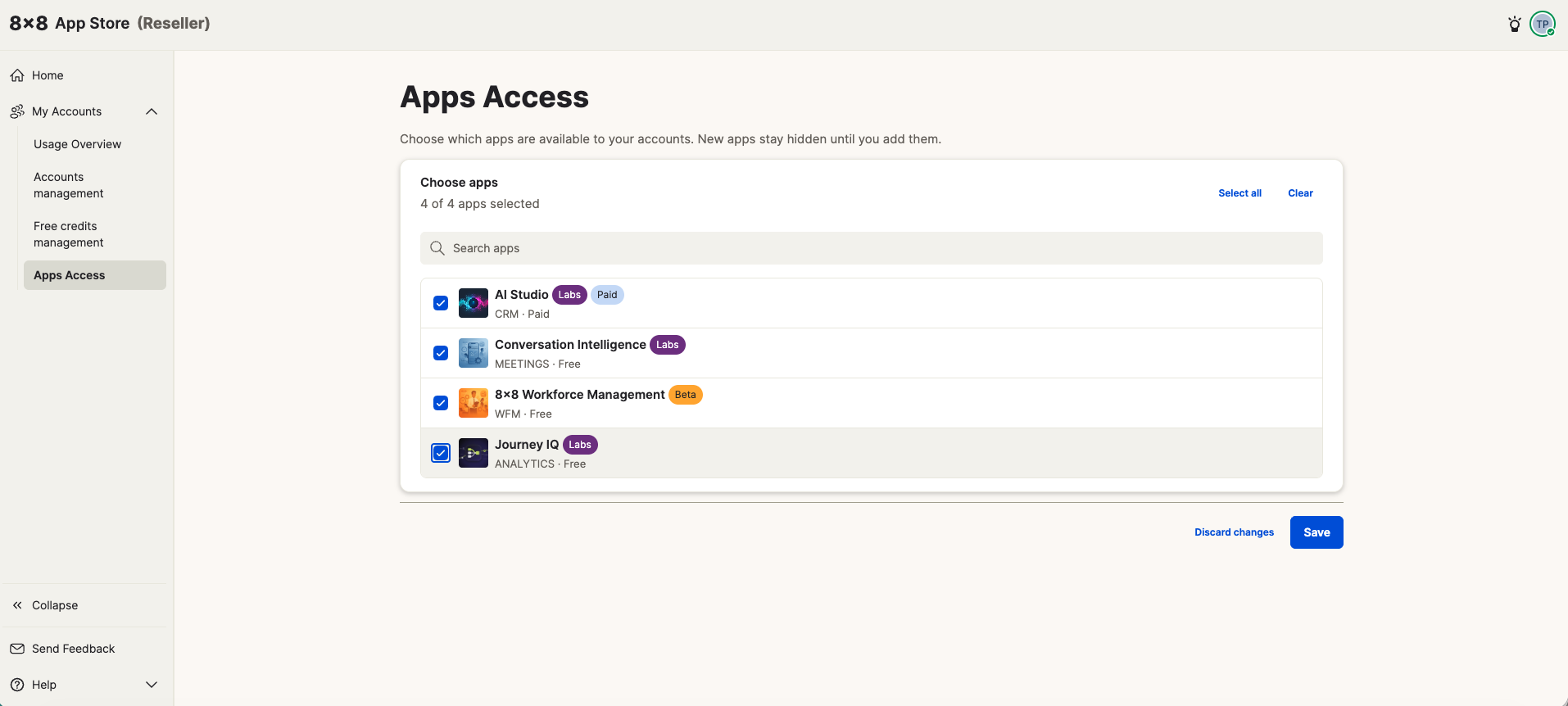
- Select individual apps by checking each one
- Use Select all to add every app to your catalog at once
- Use the search bar to find a specific app by name
You are not required to include paid apps — if you only want to offer free apps to your customers, select only the free-tier apps and save.
Including paid apps — Reseller Agreement
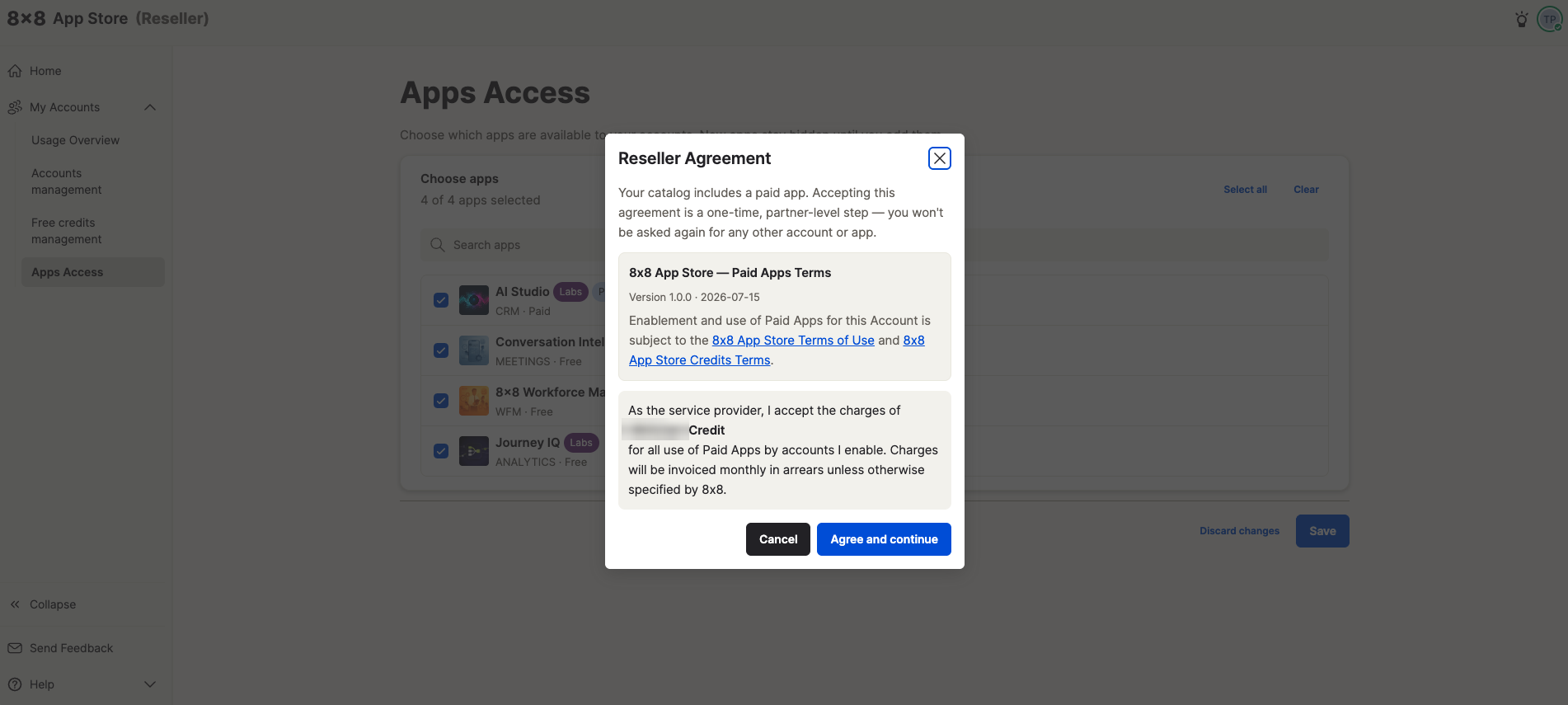
If your selection includes one or more Paid apps, saving will trigger the Reseller Agreement modal.
This agreement confirms that:
- You accept the 8x8 App Store — Paid Apps Terms (v1.0.0)
- You will be charged at the rate specified in your commercial agreement with 8x8 for all paid app usage across accounts you enable
- Charges are invoiced monthly in arrears
Click Agree and continue to confirm and save your catalog selection.
One-time step: The Reseller Agreement is a partner-level agreement. You only need to accept it once — you will not be prompted again when enabling paid apps for additional accounts.
About the rate: The credit rate shown in your application is based on your local currency and the commercial terms agreed with 8x8. If you have any questions about your specific rate, please contact your 8x8 account manager.
After saving
Once saved, your selected apps become available to assign to individual customer accounts via Accounts management.
You can return to Apps Access at any time to add more apps to your catalog. Removing an app from your catalog will affect whether it can be newly assigned — it does not automatically remove an app that has already been installed by a customer account.